App tips
How to use the Ignite event app
-
- Open Ignite Event Launcher App
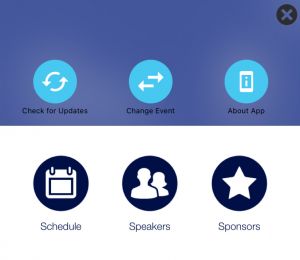
- Tap the settings cog in the top right corner
- Tap Change Event
- Tap Let’s Launch
- Enter the event code, username and temporary password from the PSC email.

-
We have updated some sessions after the app was launched.
You can refresh the app to see the latest information.
- Tap the settings cog in the top right corner
- Tap 'Check for Updates'
-
By default, all attendees' privacy settings are "invisible," meaning no messages are allowed.
To change this, follow these steps:
- Go to the MY PROFILE icon on your app.
- Click on ACCOUNT SETTINGS.
- In the top left-hand side, click EDIT ACCOUNT.
- Scroll down to PRIVACY and check the boxes that say VISIBLE TO OTHERS and ALLOW MESSAGING.